IPVanish VPN: Fast & Secure
- 4.4
- Rating
- 10.00M
- Installs
- Free
- Price

 Analysis by App-foxy
I spent time with IPVanish: VPN Location Changer as a privacy tool for everyday mobile use, and my first impression is that it aims to keep the experience approachable rather than turning VPN setup into a technical project. It comes from IPVanish VPN, sits in the tools category, and is available at no upfront cost. The basic appeal is easy to understand: connect through a VPN when you are using an untrusted network, want more privacy from your internet connection, or need an ad-blocking layer alongside the VPN service.
That simplicity is useful, but it also deserves a careful look. A VPN is not a magic invisibility switch, and the value of this particular app depends heavily on what you expect from a no-cost download versus its paid options. I found it most convincing as a convenient privacy companion for phones and tablets, not as a universal answer for every online problem. If you approach it with that distinction in mind, the app is easier to judge fairly.
How IPVanish fits into everyday privacy
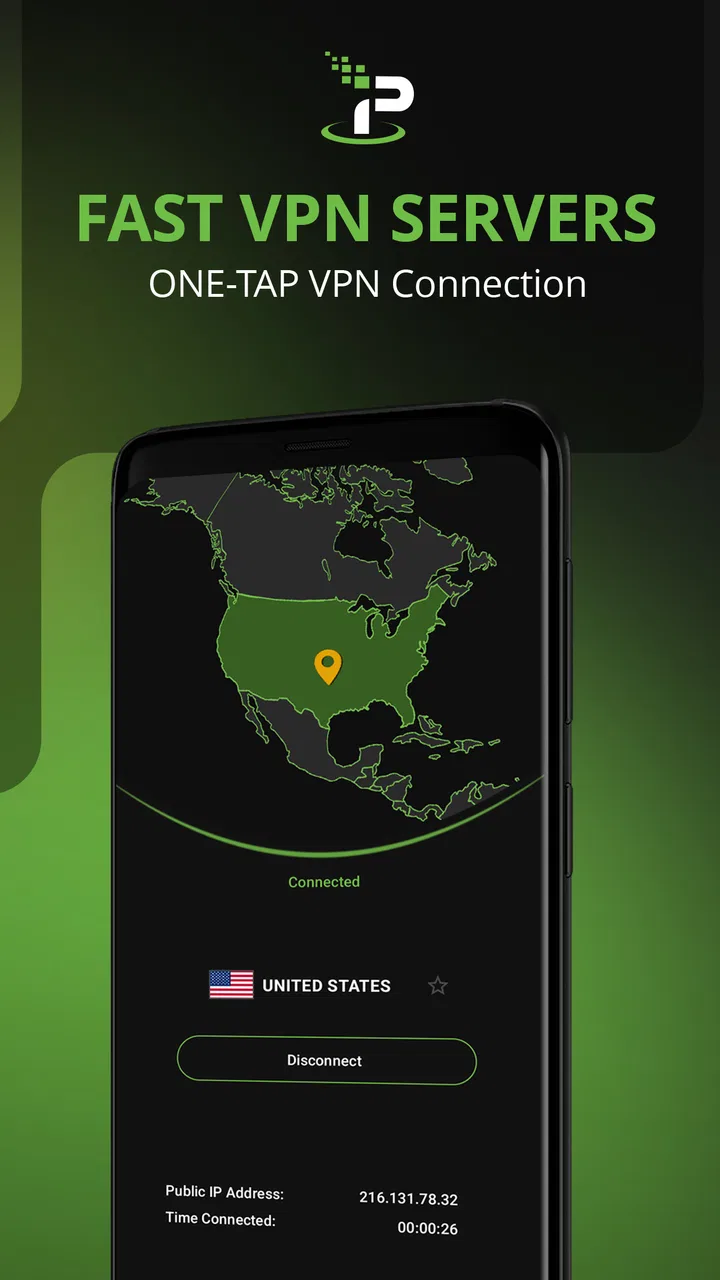
The app is designed for people who would rather tap a connection control than manually configure a VPN. That matters when you are at a café, hotel, airport, library, or shared office and want a more private route for your traffic. I also found the combination of VPN access and ad blocker protection more practical than installing unrelated tools for each task. Keeping those functions in one place reduces setup work, especially on a phone where switching between several privacy apps can become irritating.
You May Also Like

 Blood Strike: 2.5 Anniversary
Blood Strike’s Loadouts Turn Every Drop Into a Tactical Gamble
A close look at Blood Strike’s custom loadouts: how fast access to signature weapons reshapes its battle royale rhythm, rewards preparation, and narrows the gap between fights.

 Pandora - Music & Podcasts
Pandora’s Music Is Easy to Start, but Harder to Recover
Pandora’s strength is its low-effort path from a seed to a station. Its weak spot is how much confidence it asks you to place in connection, setup, and quiet recovery.

 8 Ball Pool
 Is Built on Rivalries, Rematches, and Routine
A close look at the rivalries, rematches, shared routines, and unanswered safety questions that turn a quick pool match into a persistent mobile community.

 Samsung Music
’s Quiet Strength Is Playing What You Already Own
Its reach comes less from spectacle than from dependable access to a personal library. That simplicity is both the app’s strongest retention engine and its ceiling.

 AccuWeather: Weather Radar
AccuWeather Review: A Quick, Clear Forecast for Everyday Decisions
For everyday plans, the best forecast is the one you can understand quickly. AccuWeather makes rain timing, radar, and local conditions easy to act on, with a few trade-offs.

 Hill Climb Racing
Why Hill Climb Racing Still Turns Crashes Into One More Run
A tiny car, a bumpy hill and one more upgrade: Hill Climb Racing keeps resurfacing because its simple chaos makes every near-miss feel personal.
More From Our News Desk



IPVanish has been available since September 11, 2013, and its long presence is reflected in how familiar the overall idea feels. It is not trying to make VPN use mysterious. The app presents itself as a straightforward utility for changing your VPN location and protecting your connection, while the developer name remains visible as IPVanish VPN. That makes it easier to identify the product when several similarly named VPN apps appear in an app store search.
The store listing gives the app an average rating of 4.4 from around 68,000 ratings, with roughly 6,700 written reviews and over 10 million installs. Those figures suggest that it has reached a substantial audience, although popularity alone does not tell me whether it is right for your particular network, phone, or privacy habits. I treat those numbers as a sign that the app is established, not as proof that every connection will feel equally good.
What the free download really means
The app itself is free to download, which makes it reasonable to test before committing money. That is important with VPNs because performance can vary according to your internet provider, physical location, device, and the server route you use. A free starting point lets you see whether the interface feels comfortable and whether the connection fits your normal browsing routine.
There are in-app purchases ranging from $4.99 to $89.99 per item. I would not treat that range as a single price or assume that every user needs the most expensive option. Instead, I see it as a reminder to inspect the purchase screen carefully and decide whether the paid access solves a problem you actually have. The free download is useful for evaluating the app, while the paid value depends on the access and usage pattern offered at the moment you subscribe.
That distinction is especially important for someone comparing this app with a completely free VPN. A free alternative may appear cheaper, but the real comparison is not only the amount charged. You should also consider whether it gives you the location choices, ad-blocking experience, connection reliability, and control you expect. IPVanish can be worth paying for when it replaces several smaller privacy workarounds, but I would not pay simply because a VPN sounds safer in general.
What I found useful in normal routines
My most realistic use case is a short work session on public Wi-Fi. I would open the app before checking email, signing into an account, or sending a document, connect through the VPN, and then continue normally. This does not remove the need for strong passwords, device updates, or caution with suspicious websites, but it adds a privacy layer without requiring me to remember a complicated manual setup each time.
The location-changing purpose is also useful when a website behaves differently depending on where the connection appears to come from. I would use that as a practical troubleshooting step rather than assuming it guarantees access to every service. Some websites and streaming platforms actively detect VPN traffic, and a location change may not produce the result you want. For ordinary browsing, the feature is easier to appreciate than for services with strict regional rules.
The ad blocker is another part of the app that can affect daily comfort. Blocking advertising elements may make some pages less cluttered and reduce distractions while reading. However, I would not expect it to remove every form of tracking, sponsored content, or advertising from every app and website. A browser page and a separate mobile application can handle advertising differently, so the result may feel uneven depending on where you use your phone.
Small habits that make the app more worthwhile
One useful habit is to connect before joining a public network rather than waiting until after you have already opened sensitive accounts. That turns the VPN into a routine step instead of an emergency reaction. I would also disconnect when I no longer need it if the connection affects a service that works better without a VPN. This simple switch avoids blaming the app for problems caused by a particular website or network path.
Another practical approach is to compare the app’s behavior in several places instead of judging it from one session at home. Try it on your usual mobile connection, a trusted home network, and a public hotspot. If one environment feels slower or causes repeated reconnects, that information is more useful than a single successful test. It can help you decide whether the app is a dependable everyday tool or only something you want available for public Wi-Fi.
I also recommend checking location settings when a website suddenly displays the wrong language, currency, or local content. Changing a VPN location can alter more than privacy expectations; it can influence how online services interpret your session. If a page becomes confusing after connecting, temporarily switching location or disconnecting may solve the issue faster than repeatedly refreshing the browser.
The tradeoff between protection and convenience
The main tradeoff is that routing traffic through a VPN can add another step between your device and the destination. Even when the connection feels fast, some services may take longer to respond, ask for an additional verification, or behave differently because your apparent location has changed. I consider that normal friction for a VPN rather than a unique flaw, but it means you should not leave it enabled blindly for every activity.
Gaming is a good example of where expectations need to be realistic. A VPN can be useful for privacy on a shared network, but it is not automatically the best choice for competitive play. Extra routing can work against the low-latency connection a fast online match needs. If your priority is the most direct and responsive game connection, I would test carefully and be ready to disconnect when the VPN creates noticeable delay.
Video services and banking sites can also be sensitive to changed locations or unfamiliar connection routes. I would keep IPVanish available for privacy-focused browsing, but I would not assume that every financial or entertainment service will welcome a VPN connection. If a service refuses access or repeatedly asks me to verify the account, I would first try the normal connection before deciding that the app is malfunctioning.
The ad blocker introduces a separate tradeoff. Some websites rely on advertising for revenue and may limit access when they detect blocking. Others may simply look cleaner. I like having the option, but I would treat it as a control to use thoughtfully rather than a setting that should be forced on every page. If a site becomes unusable, temporarily allowing its content or switching the protection off can be the more practical choice.
Who will get the most value
I think IPVanish is a strong candidate for people who regularly use public Wi-Fi and want a recognizable, simple VPN workflow on a mobile device. It also suits users who want location-changing and ad-blocking functions in the same tool instead of assembling a collection of separate utilities. The free download makes experimentation accessible, while the paid choices may make sense for someone who expects frequent VPN use and finds the app’s experience dependable.
It may also suit travelers who move between networks and want one familiar privacy routine. In that situation, the value is less about opening the app once and more about having a repeatable method: connect before sensitive browsing, check whether the selected location causes service problems, and disconnect when a direct connection is more appropriate. That workflow is simple enough for casual users but still gives experienced users room to make deliberate choices.
I would be more cautious if your only goal is occasional access to one region-locked service. VPN detection changes over time, and no location-changing app can promise that every platform will accept its connection. In that case, paying for a VPN may not provide enough value if the service you care about blocks VPN traffic or requires a specific location behavior.
I would also suggest skipping it if you dislike subscription decisions or want a completely hands-off connection that never affects websites and apps. VPNs naturally create exceptions, and IPVanish is no different. You may need to disconnect for a particular service, reconsider the selected location, or accept that ad blocking can change how a page works. Someone unwilling to manage those occasional adjustments may prefer using the device’s ordinary connection and a browser-based privacy setup.
How it compares with simpler alternatives
The usual alternative is to use no VPN and rely on the security of a home network or mobile connection. That is simpler and avoids location-related complications, but it does not offer the same dedicated privacy layer when you join an unfamiliar hotspot. For users who rarely leave a trusted network, the simpler approach may be sufficient. For frequent public Wi-Fi users, IPVanish has a clearer purpose.
Another alternative is a browser-only privacy or ad-blocking tool. That can be a better fit if your concern is mainly web pages and you do not want a VPN affecting other applications. IPVanish is broader in concept because the VPN connection is intended for the device’s online activity, but that broader reach also means more opportunities for compatibility issues. The right choice depends on whether you want protection centered on the browser or on the connection itself.
Free VPN competitors can be attractive when cost is the only deciding factor. I would compare them based on how comfortable you are with their interface, whether their free access is practical for your routine, and how consistently they handle your preferred networks. IPVanish’s free entry point is useful for testing, but a paid purchase should be justified by your actual use rather than by the name of the category.
My buying decision and final recommendation
My verdict is positive with a clear condition: try the free app first, then pay only if it becomes part of your regular privacy routine. I like the combination of a VPN location changer and ad-blocking protection because it gives the app a more practical role than a tool I would open once and forget. The interface is approachable, and the public Wi-Fi scenario is a genuine reason to keep it installed.
The paid options, which run from $4.99 to $89.99 per item, should be evaluated as a personal value decision rather than a guaranteed upgrade for everyone. If you use VPN protection often, appreciate having one app for connection privacy and ad blocking, and are comfortable handling occasional service compatibility issues, the purchase can make sense. If you only need a VPN once in a while, the free download may be enough for testing, while a different option may offer better value for your specific situation.
IPVanish is rated for Everyone, so it is positioned as a general-purpose tool rather than a specialist utility for a narrow audience. I would recommend it to a friend who wants a straightforward mobile VPN and understands its limits. I would not recommend buying it solely to guarantee access to a particular streaming catalog, eliminate every advertisement, or improve online gaming performance. The best reason to choose IPVanish is consistent, convenient privacy on networks you do not fully trust—not the promise of a perfect connection everywhere.
Overall, IPVanish: VPN Location Changer earns its place as a practical tools app when you value an easy VPN routine and want ad-blocking protection nearby. Its free starting point lowers the risk of trying it, its paid access deserves careful consideration, and its real strengths appear when you use it deliberately rather than leaving it on without thought. For everyday mobile privacy, that balance makes it worth testing; for specialized regional access or maximum gaming responsiveness, I would look more carefully at alternatives before spending money.
FAQs for IPVanish VPN: Fast & Secure
01What is IPVanish and how does it work?
IPVanish is a VPN (Virtual Private Network) service that provides online privacy and security by encrypting your internet connection. It allows users to change their IP address to one from a different location, helping to bypass geo-restrictions and access content from around the world. This is ideal for users who want to protect their data while browsing or streaming.
02Is IPVanish compatible with all devices?
Yes, IPVanish is compatible with a wide range of devices including Android, iOS, Windows, Mac, and Linux. It also supports routers, so you can secure all devices on your network. The app is user-friendly, making it easy to set up and use across multiple platforms, ensuring seamless protection and access.
03How secure is my data with IPVanish?
IPVanish uses AES-256 encryption, one of the most secure encryption standards available, to protect your data. It also offers features like a kill switch and DNS leak protection to ensure your connection remains secure. Additionally, IPVanish has a strict no-logs policy, meaning they do not track or store your online activities.
04Can IPVanish improve my internet speed?
While VPNs can sometimes slow down your internet due to encryption processes, IPVanish is known for maintaining fast and reliable connections. By choosing the right server location, you may even experience improved speeds, especially if your ISP throttles bandwidth for certain activities like streaming or gaming.
05Does IPVanish offer customer support?
Yes, IPVanish provides 24/7 customer support through live chat, email, and a comprehensive knowledge base. Users can access help with setup, troubleshooting, and any other issues they might encounter. The support team is responsive and knowledgeable, ensuring users get the assistance they need quickly.
Pros
- Fast connection speeds for seamless browsing.
- Wide range of server locations worldwide.
- Easy-to-use interface for all users.
- No-logs policy ensures privacy.
- Supports multiple devices simultaneously.
Cons
- Occasional connection drops reported by users.
- Higher price compared to some competitors.
- Limited customer support options available.
- No free version
- only a trial period.
- App interface can be confusing for beginners.

IPVanish VPN: Fast & Secure
Gallery